Skip to content
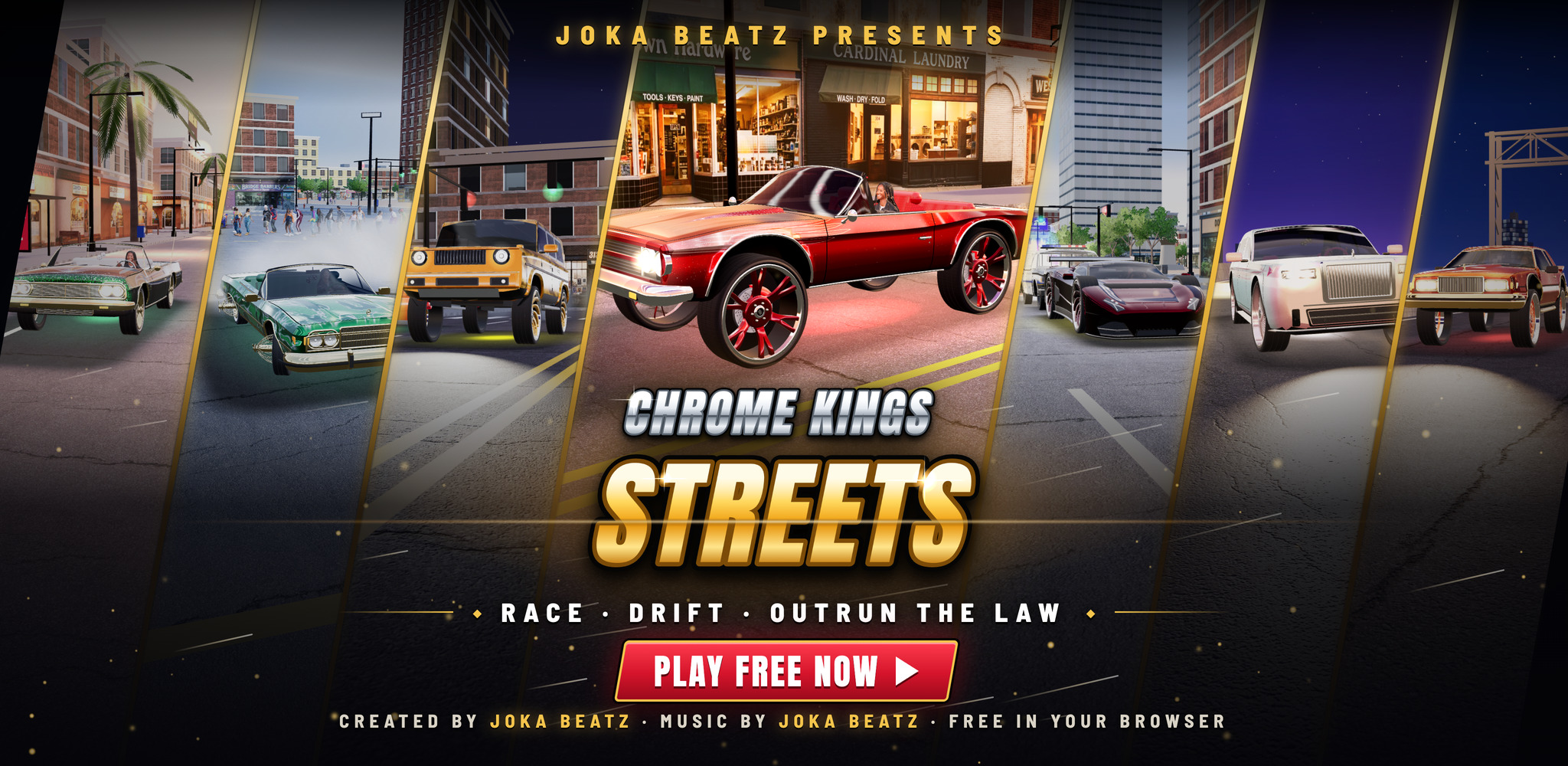
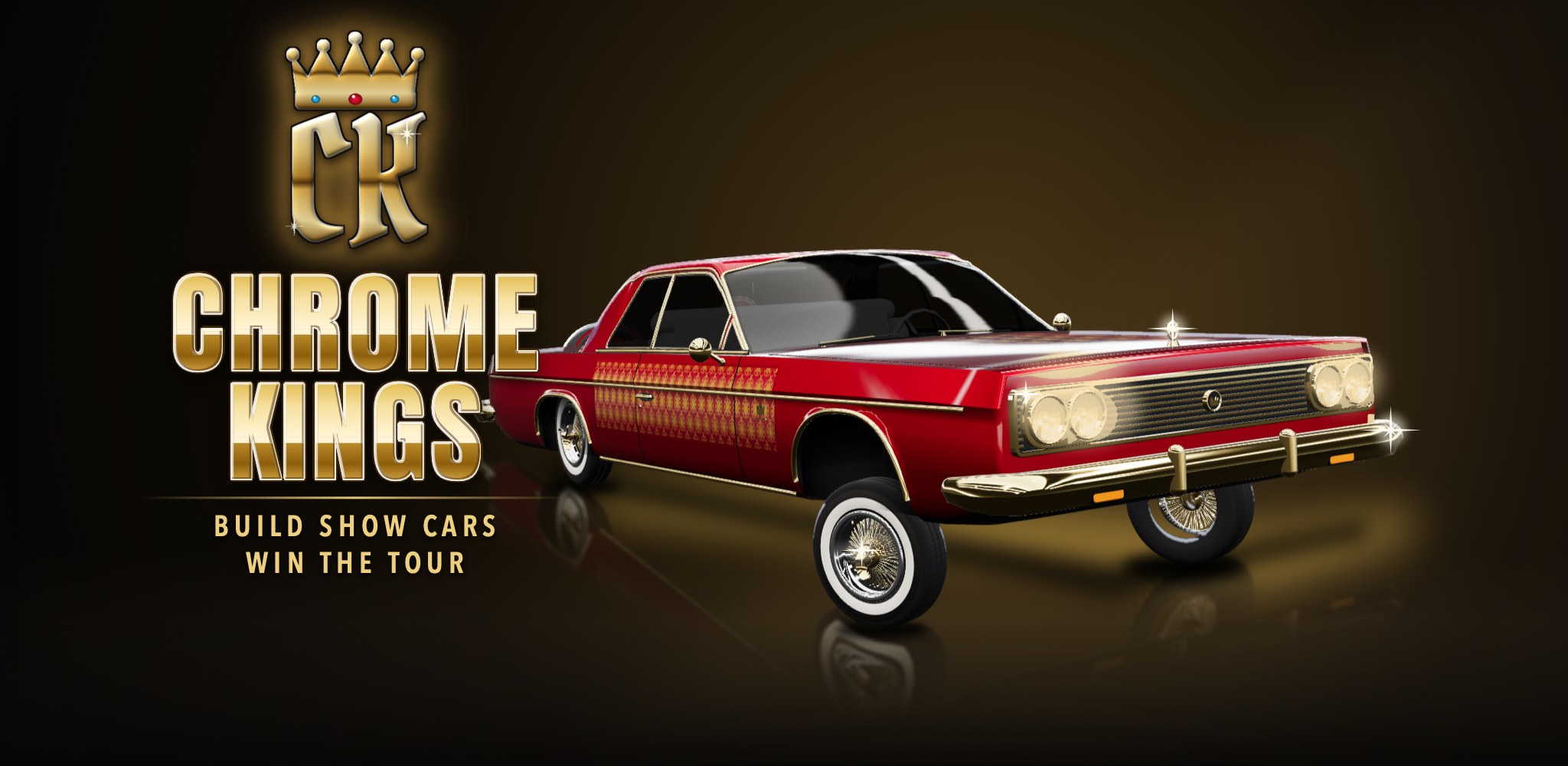
Chrome Kings in-game artwork
Chrome Kings banner
Chrome Kings app icon

Car-show career game

Chrome Kings

Get it on Google Play
App StoreLink Coming Soon
Play in Browser

Build Your Ride. Claim the Crown.

About Chrome Kings

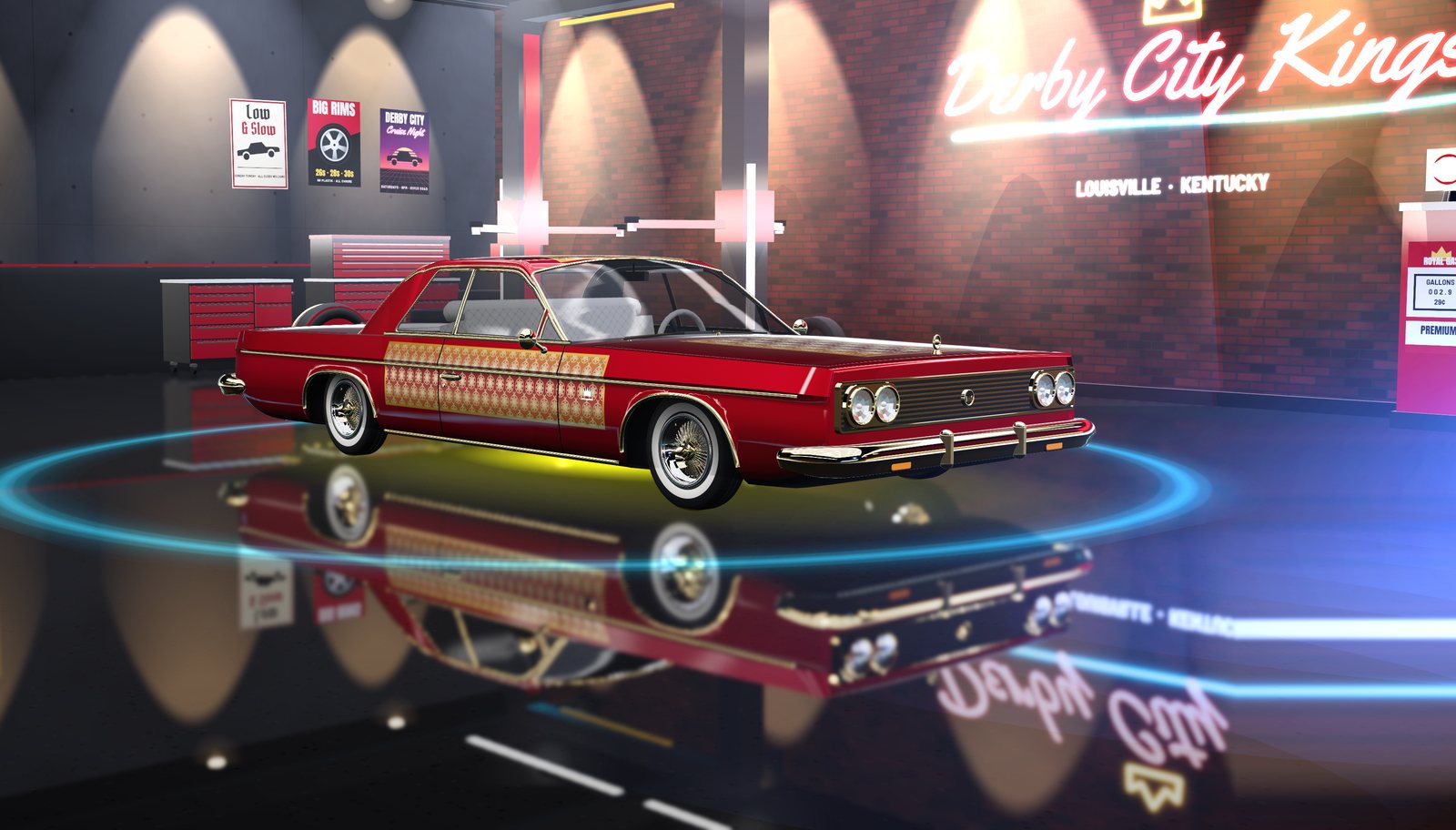
Chrome Kings is a car-show career game about one thing: building the cleanest ride in the room. Pick from 14 cars across six classes — Lowrider, Big Rims & Hi-Risers, Slab, Muscle, Luxury, and Exotic — and make each one your own.

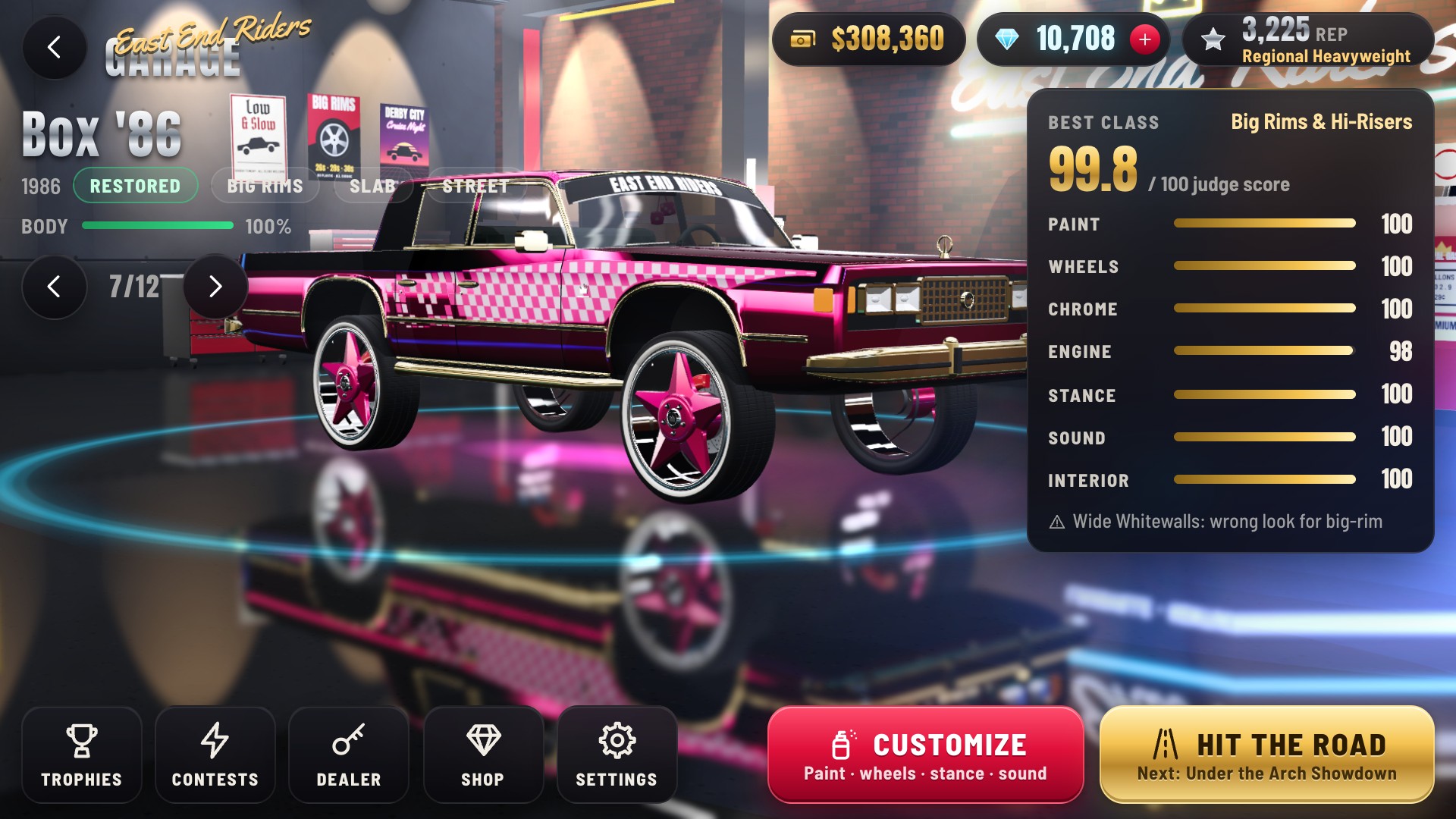
Dial in the paint, wheels, stance, and interior, then roll onto the show floor to compete in judged shows, sound-offs, dance-offs, and hop contests. Win locally, build your name, and work your way up to the Crown Finals — all backed by an original soundtrack from Joka Beatz.

Chrome Kings — Watch the gameplay

Screenshots

Screenshots from the game.

Chrome Kings screenshot 1 of 7Chrome Kings screenshot 2 of 7Chrome Kings screenshot 3 of 7Chrome Kings screenshot 4 of 7Chrome Kings screenshot 5 of 7Chrome Kings screenshot 6 of 7Chrome Kings screenshot 7 of 7

What you can do

01

14 cars, six classes

Lowrider, Big Rims & Hi-Risers, Slab, Muscle, Luxury, and Exotic — every class has its own culture and its own way to shine.
02

Custom everything

Paint, wheels, stance, and interiors. Build a ride that looks like nobody else's on the floor.

03

Judged shows

Put your build in front of the judges and let the details speak for themselves.

04

Sound-offs, dance-offs & hops

It's not only about looks. Compete in sound-offs, dance-offs, and hop contests to prove what your car can do.

05

Local to the Crown

Start at local shows and climb the circuit all the way to the Crown Finals.

06

Original Joka Beatz soundtrack

Every show rolls to original music produced by Joka Beatz.

How it works

  1. Step 1

    Pick your ride

    Choose a car from one of six classes.

  2. Step 2

    Make it yours

    Customize paint, wheels, stance, and interior.

  3. Step 3

    Hit the show floor

    Compete in judged shows, sound-offs, dance-offs, and hops.

  4. Step 4

    Claim the crown

    Climb from local shows to the Crown Finals.

How to Play

Build a show car, take it on tour, and win over the judges and the contests. Here is what every screen is for and how each contest is played: on a phone, with a mouse and keyboard, or with a game controller in the browser.

Start here

  1. Start a New Career: name yourself and your crew, design your club plaque, and pick one of three project cars. You start with $12,000 and 60 diamonds.
  2. In the Garage, tap Customize. Start with Body: rough bodywork drags the paint and chrome scores down. Tapping a part shows it on your car for free.
  3. Tap Hit the Road. The Tour map opens on your next show, and your first one is right in Louisville. You see your estimated score before you pay the entry fee.
  4. At the show the judges score Paint, Wheels, Chrome, Engine, Stance, Sound and Interior. Then come the contests, which you can enter or skip.
  5. Finish in the top three for cash and a trophy. Every show pays REP, and REP opens new tour stops, cars and parts.
  6. Just want to play? Quick Contest on the title screen needs no career at all.

Getting around

Garage
Home base. Tiles for Trophies, Contests, Dealer, Shop and Settings, and the two big buttons: Customize and Hit the Road. With two or more cars, the arrows switch between them.
Custom Shop
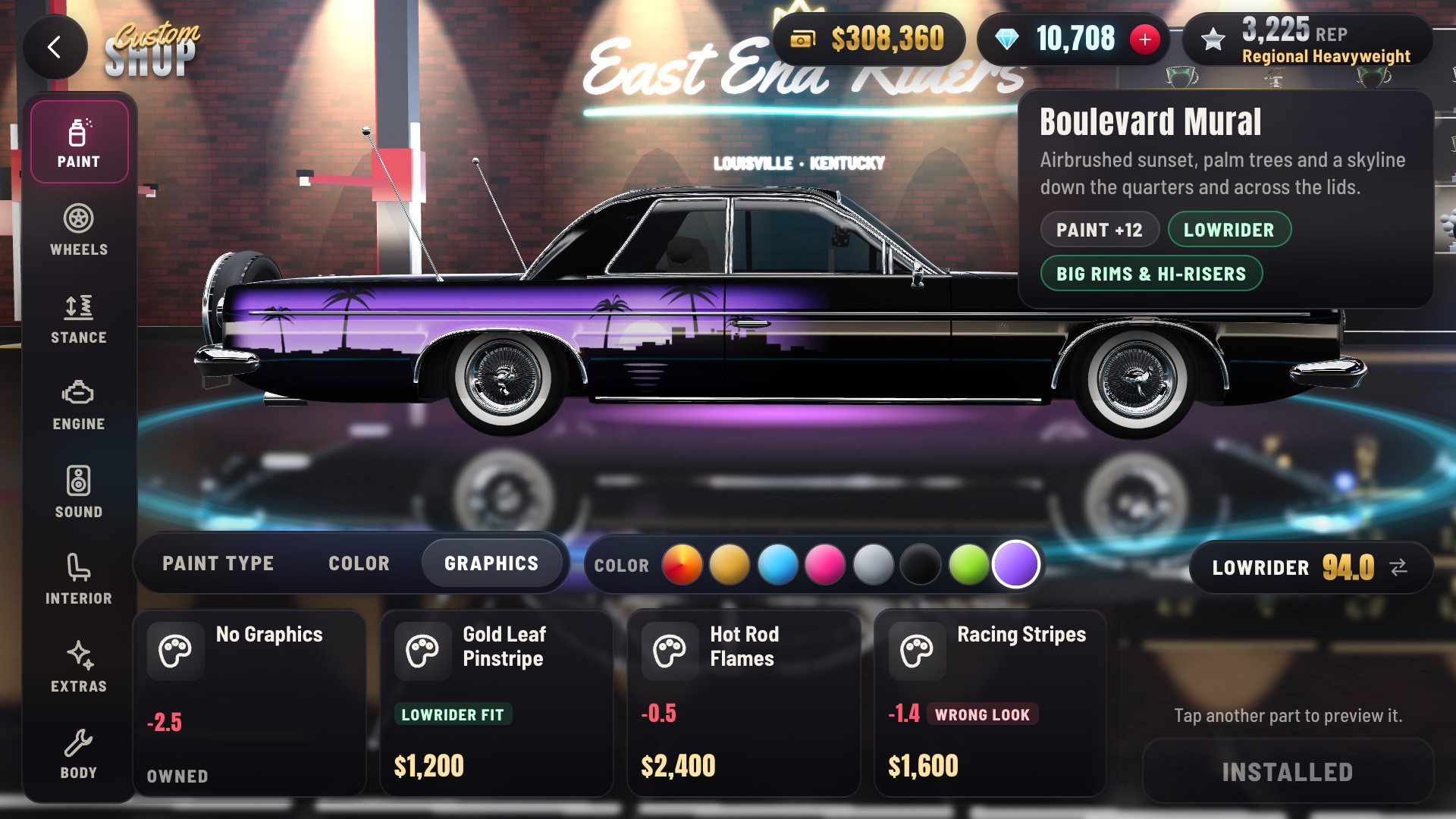
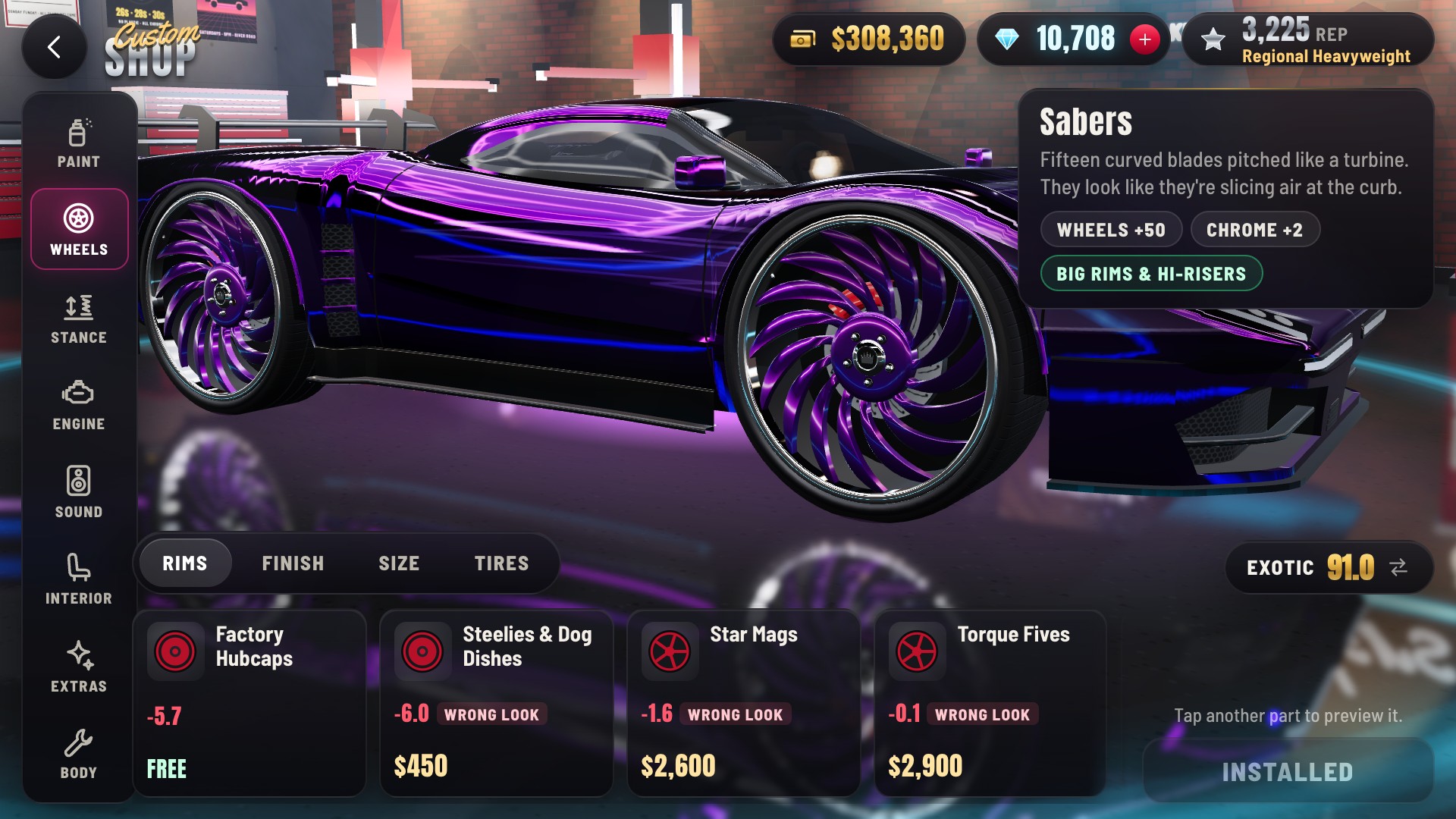
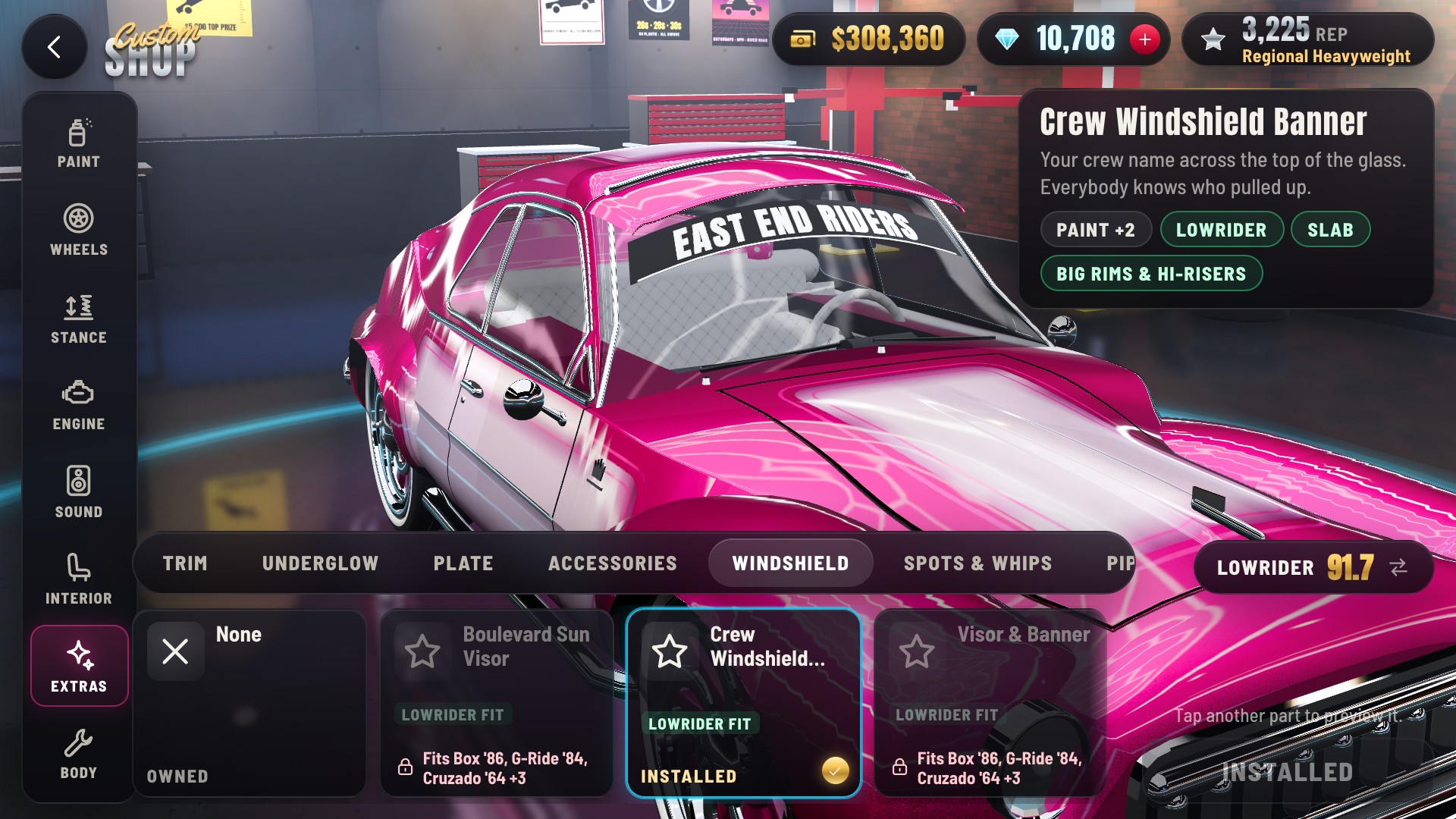
Categories down the side (Paint, Wheels, Stance, Engine, Sound, Interior, Extras, Body), groups across the top, parts as cards. Every card shows the points it adds and whether it fits your car's class.
Tour map
Four tiers: Local Circuit, Regional Tour (600 REP), National Tour (2,500 REP) and the Crown Finals (6,000 REP and 8 trophies). Tap a city to see prizes, rivals and contests.
Dealer
Tabs for Project, Classic, New, Premium and Sell. A project car is cheap and rough, and needs restoring before it can win.
Quick Contest
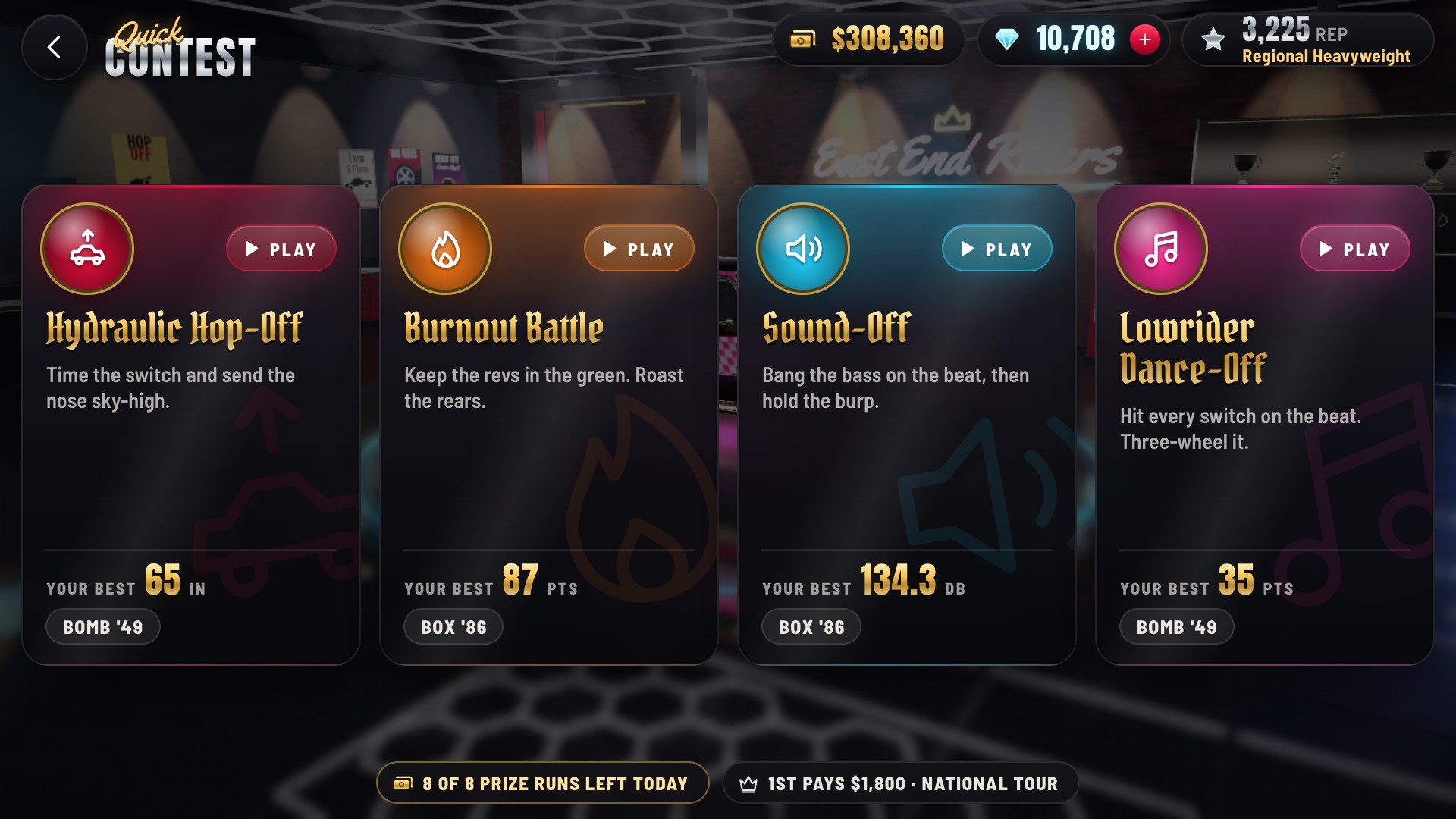
The four contests on their own, no show and no entry fee: Hop-Off, Burnout Battle, Sound-Off and Dance-Off. It is on the title screen, in the Garage (Contests) and on the Tour map.
Trophies
Place top three at a show or win a contest and the trophy lands here.
Shop
Diamonds, packs and the VIP Pass. The cash and diamond counters at the top of the screen open it from anywhere.
Going back
The arrow at the top left steps back one screen. During a show it is switched off: tap to speed things up, or use Skip.

Controls

Menus
Phone or mouse
Tap or click. Drag on the car to turn the camera around it. In the browser, the mouse wheel moves the sideways shelves and you can hold and drag a list.
Keyboard
F switches full screen in the browser. Inside Quick Contest, Enter starts and Esc steps back. The rest of the menus are worked with the mouse.
Controller
Browser only. The first press shows a gold ring: move it with the d-pad or left stick, A presses, B goes back. LB and RB step through Custom Shop categories, your cars, tour tiers and dealer tabs. LT and RT change the Custom Shop group. The right stick turns the camera.
Hop-Off

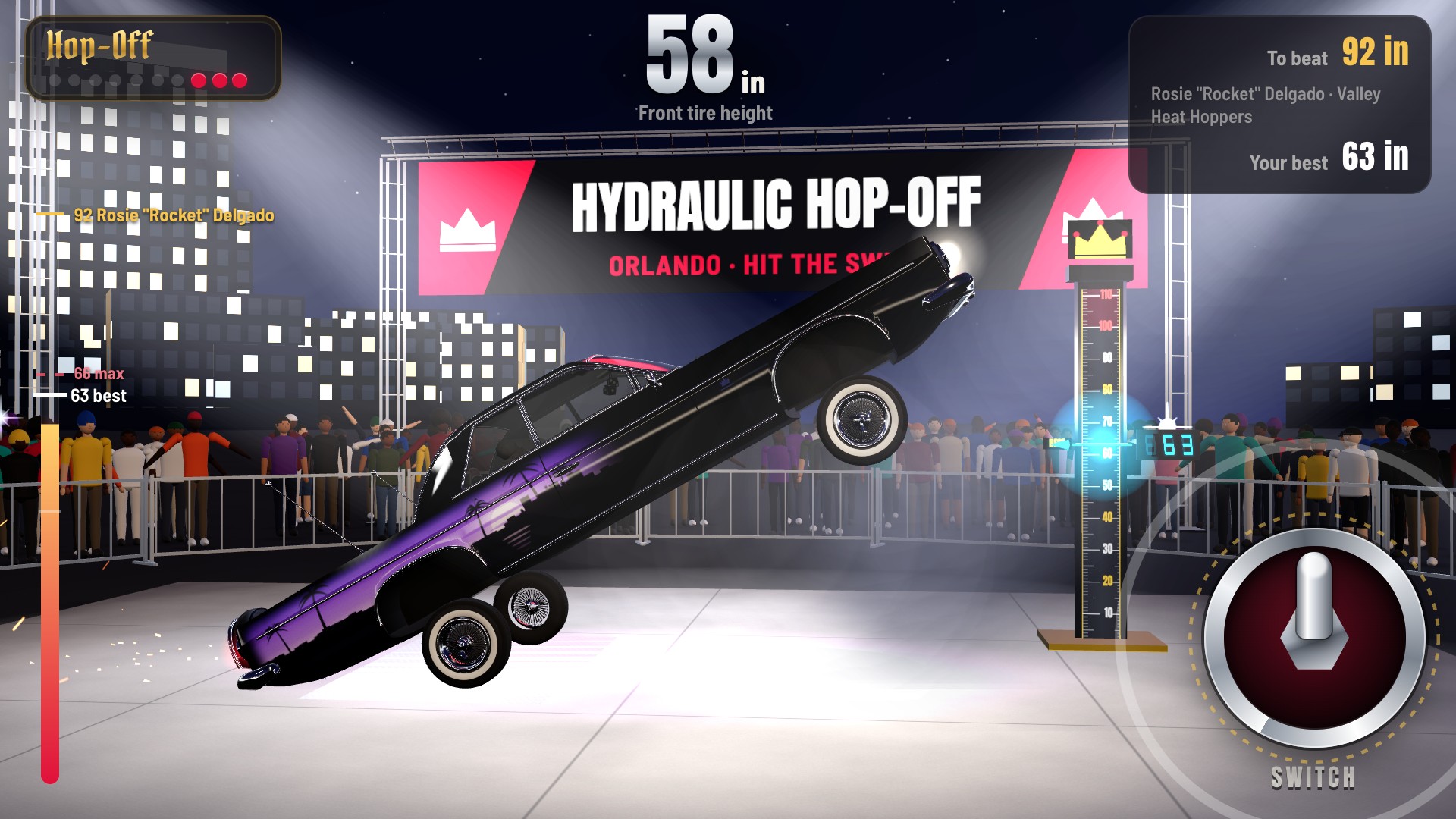
Needs hydraulics (in Stance), which only old-school cars can fit. You get ten hits: tap the switch right as the nose bottoms out. Clean hits stack height, sloppy ones bleed it. Your score is your best hop, in inches.

Phone or mouse
Tap SWITCH, or anywhere on the lower part of the screen.
Keyboard
Space, Enter or the Up arrow.
Controller
A or RT.
Scoring well
Watch the ring close on the switch and hit as it lands. Full height takes four perfect hits in a row. Hit too early and the next hop starts lower. Your hydraulics set the highest you can go.
Burnout Battle

Any car can enter. For eleven seconds, hold the throttle and keep the needle in the green while the green zone drifts. More smoke, more points. Max it out to pop a tire.

Phone or mouse
Hold the GAS pedal. Let go to drop the revs.
Keyboard
Hold Space or the Up arrow.
Controller
Hold A or RT.
Scoring well
Ease on and off to follow the green instead of flooring it. More horsepower makes the green wider and the smoke build faster.
Sound-Off

Needs a sound system (in Sound). Hit the bass on every beat to pump the meter. Then hold the burp and keep the needle centered.

Phone or mouse
Tap a BASS pad as each marker reaches the ring. When BURP! HOLD IT comes up, hold a pad and slide to center the needle.
Keyboard
Space, Enter or the Down arrow on the beat. Then hold it and steer the needle with the Left and Right arrows.
Controller
A on the beat. Then hold A and steer with the d-pad or left stick.
Scoring well
Off-beat taps cost pressure, and letting go during the burp drops the reading. Your system sets the loudest number you can hit.
Dance-Off

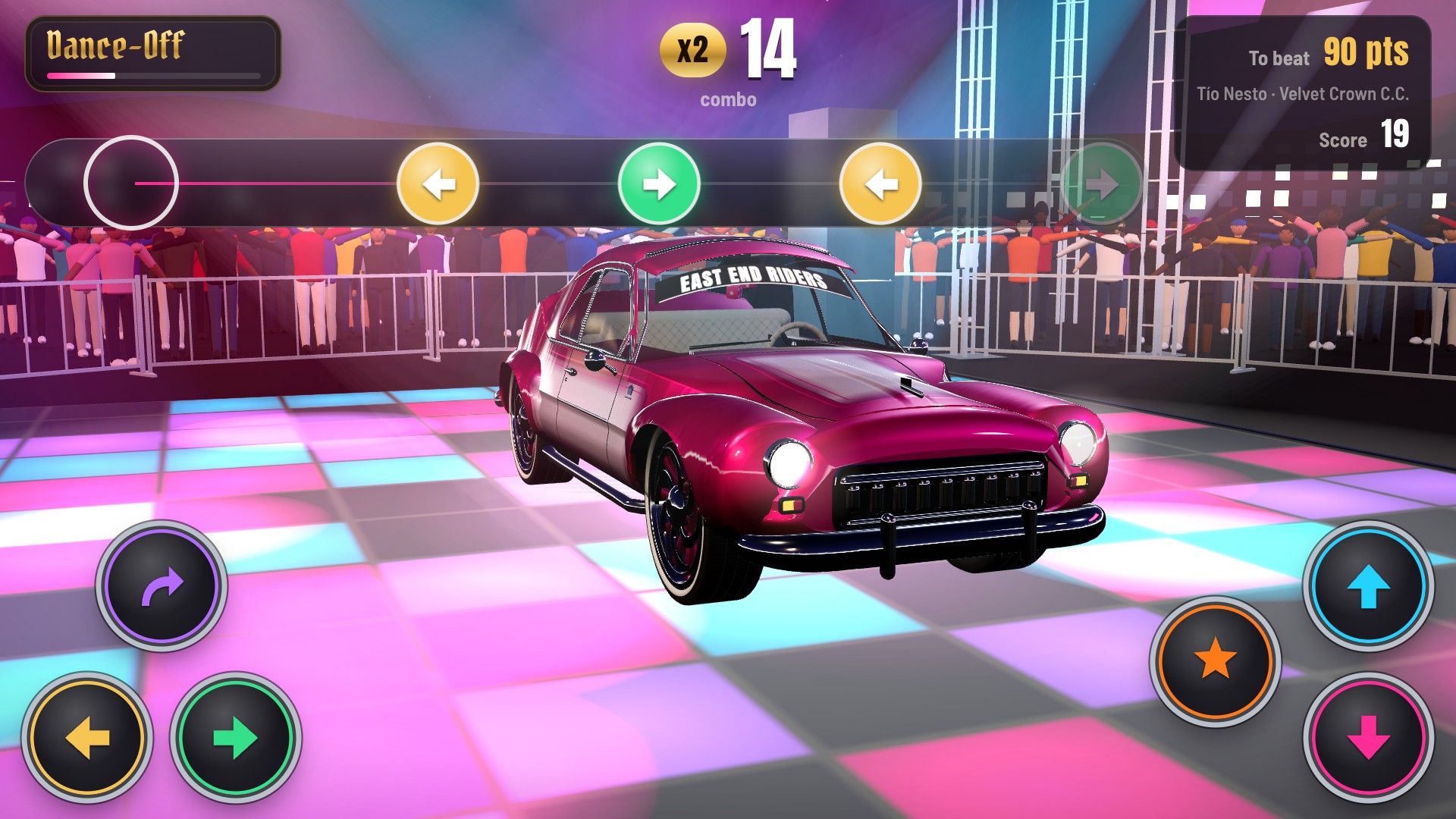
Needs hydraulics. Hit the matching switch as each move crosses the ring. Chain clean hits to stack your multiplier, up to x4. A miss or the wrong switch resets it.

Phone or mouse
Left box: Left, Right and Three-wheel. Right box: Pancake, Front and Back.
Keyboard
Arrow keys or W A S D for the four directions, Q or Z for three-wheel, E, X or Space for pancake.
Controller
D-pad or left stick for the directions, X or Y for three-wheel, A, RT or B for pancake.
Scoring well
Bigger hydraulics mean more moves and a higher top score: 2-pump has front and back, 3-pump adds left and right, 4-pump adds the three-wheel, and the Competition setup adds the pancake.
Starting and leaving a contest
Start
Every contest opens on a card with its rules, the score to beat and what your car tops out at. Press Start, Space or Enter, or A on a controller. Then it counts 3, 2, 1, GO.
Leave
In Quick Contest, the back arrow or Esc leaves a run without a result.

Tips

  • Colors are free to switch and previews cost nothing, so try a look before you buy it.
  • Read the part cards. A part that fits your car's class scores more, and one marked "wrong look" scores less. Tap the score chip in the Custom Shop to see how each class would judge your build.
  • Enter a show in your car's own class. The judges take 12% off a car that is in the wrong one.
  • A detail job lasts one show. Buy it right before the show that matters.
  • Quick Contest pays cash and REP for up to 8 podium finishes a day. After that, runs are practice. With no career, or no car that qualifies, you get a loaner ride.
  • Out of money on the Local Circuit? The promoter covers your entry (Rookie pass).
  • Just missed in a show contest? Run It Back costs 10 diamonds and keeps the better of your runs.
  • Log in every day: the daily diamonds grow over a seven-day streak, and a missed day starts it over.
  • In the browser, sign in to a free Hustla Arcade account and your career is saved online. As a guest it stays in that one browser.

FAQ

What kind of game is Chrome Kings?

A car-show career game. You customize cars and compete at shows, working your way from local events to the Crown Finals.

How many cars are there?

14 cars across six classes: Lowrider, Big Rims & Hi-Risers, Slab, Muscle, Luxury, and Exotic.

What competitions are in the game?

Judged shows, sound-offs, dance-offs, and hop contests.

Is it free to download?

Check the Google Play listing for current details. The game may offer optional in-app purchases.

Is there an iPhone version?

An App Store link hasn't been published yet. We'll add it here as soon as it's available.
Privacy Policy · Terms of Service

More from Hustla Arcade

Chrome Kings gameplay scene

Build Your Ride. Claim the Crown.

Get Chrome Kings now.

Get it on Google Play
App StoreLink Coming Soon
Play in Browser